- IMPROVEDFirst full Arabic localization release with 2,700 translated lines.
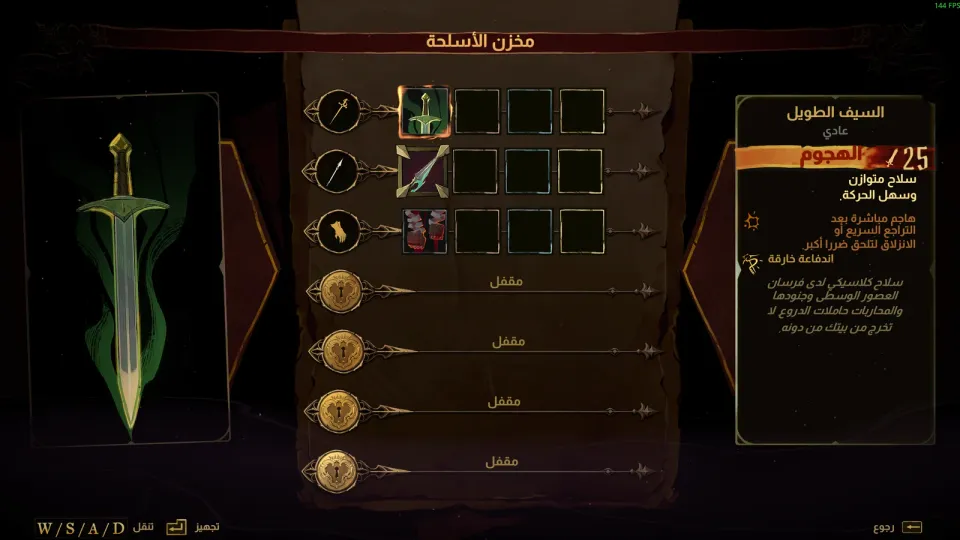
- NEWTranslated menus, settings, dialogue, narration, weapons, spells, items, tutorials, location names, and notes.
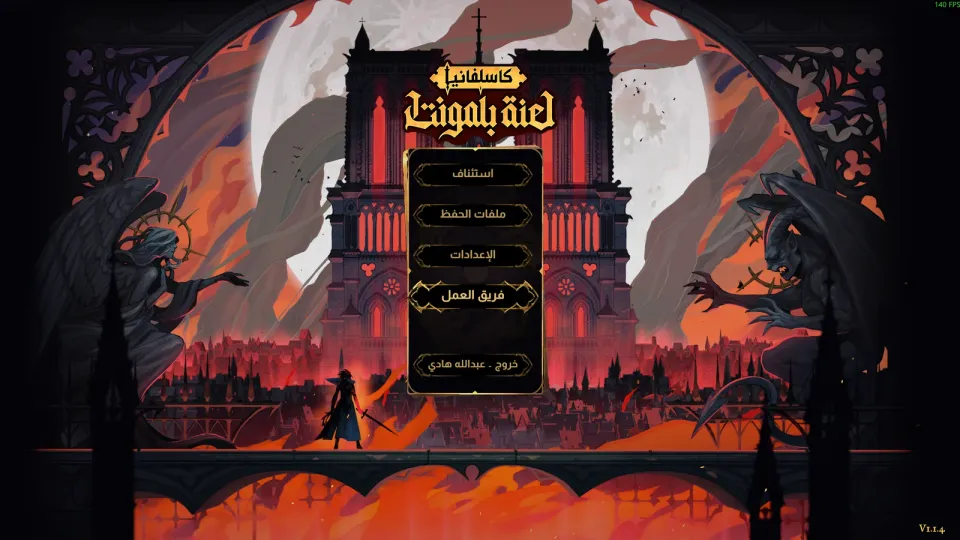
- NEWAdded an Arabic game logo in the main menu and credits screen.
- NEWAdded right-to-left Arabic text support with joined letters and dialogue typewriter movement.
CompleteFull ArabicAction-explorationMetroidvaniaGothic horrorv1.0.0
Castlevania: Belmont's Curse Arabic Localization
Castlevania: Belmont's Curse · KONAMI, Evil Empire, Motion Twin · 2026
A full Arabic localization for Castlevania: Belmont's Curse on Steam PC. It covers menus, dialogue, narration, weapons, spells, items, tutorials, location names, and notes with proper Arabic right-to-left support.
PATCH PROGRESS100%DONEv1.0.0Version17MB13Downloads
SCREENSHOTSScreenshots of the patch
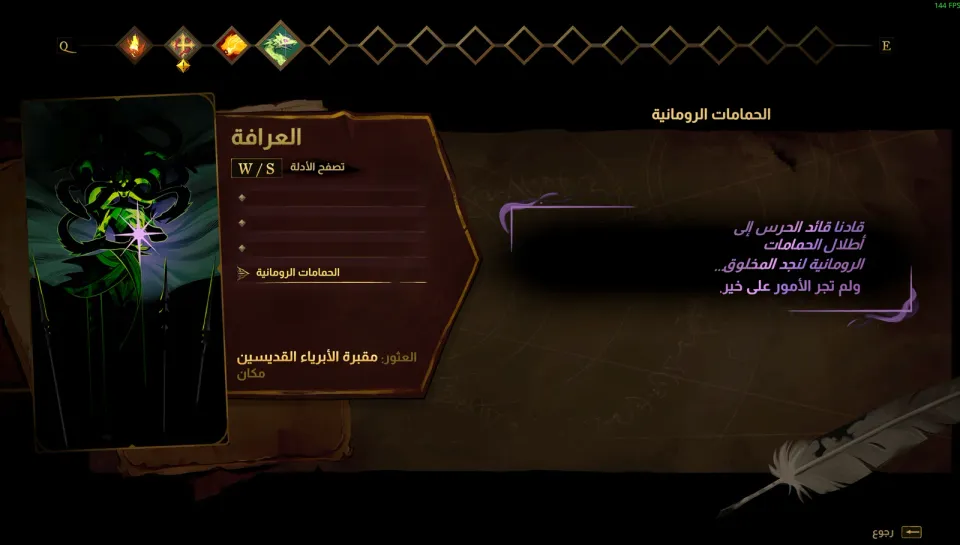
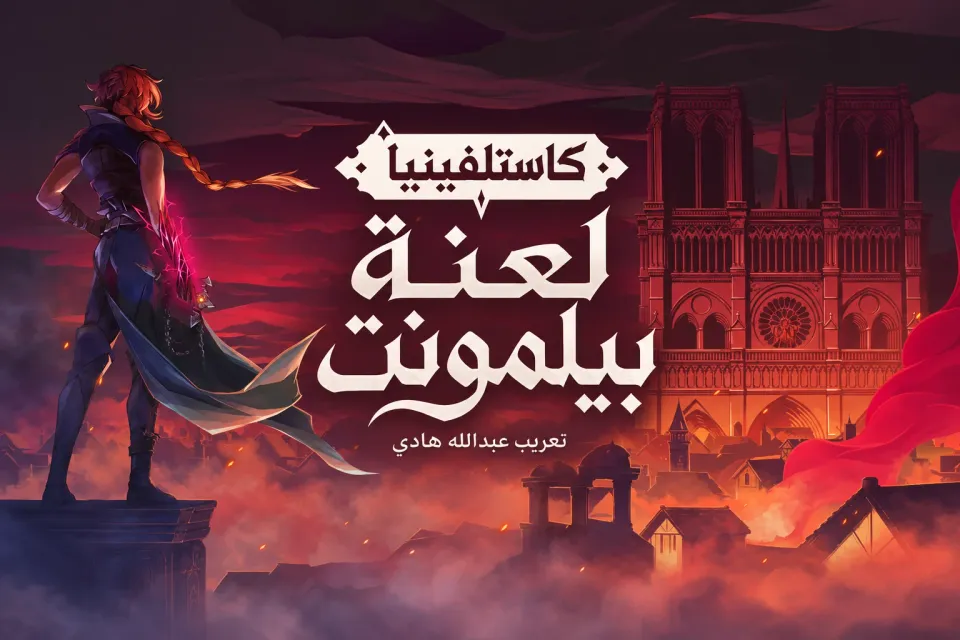
HOW TO INSTALLHow to install
- 01Download the file
Download the Castlevania-Belmonts-Curse-Arabic zip file, about 17 MB, then extract it to a temporary folder.
Castlevania-Belmonts-Curse-Arabic.zip - 02Close the game
Make sure Castlevania: Belmont's Curse is fully closed before copying any files.
- 03Open the game folder
In Steam, right-click the game, choose Manage, then Browse local files.
Steam > Manage > Browse local files - 04Back up the original files
Copy the original files that will be replaced by the patch to a safe folder outside the game directory, so you can restore them if needed.
Castlevania Belmont's Curse_Data - 05Copy the Arabic files
Copy the Castlevania Belmont's Curse_Data folder from the patch into the game folder, then choose Replace when prompted.
Castlevania Belmont's Curse_Data - 06Select the language
Launch the game and select English in the language settings. Arabic appears in place of English in this patch.
Language: English
ABOUT THIS PATCHAbout this patch
Castlevania: Belmont's Curse is a 2D action-exploration Castlevania game set in Paris in 1499. Rose Belmont faces monsters, Dracula’s curse, and a dark castle looming over a burning city.
This is an unofficial Arabic localization for the Steam PC version. Version 1.0.0 translates the full game text with 2,700 lines, including menus, settings, dialogue, narration, weapons, spells, items, tutorials, location names, and notes.
Arabic is displayed right-to-left with properly joined letters, and the patch adds an Arabic game logo in the main menu and credits screen. Dialogue keeps the typewriter-style text movement while presenting the lines clearly in Arabic.
This release is made for Steam build 26485918. If the game updates and the text returns to English, reinstall this Arabic patch on the compatible game build.